Cashly كاشلي
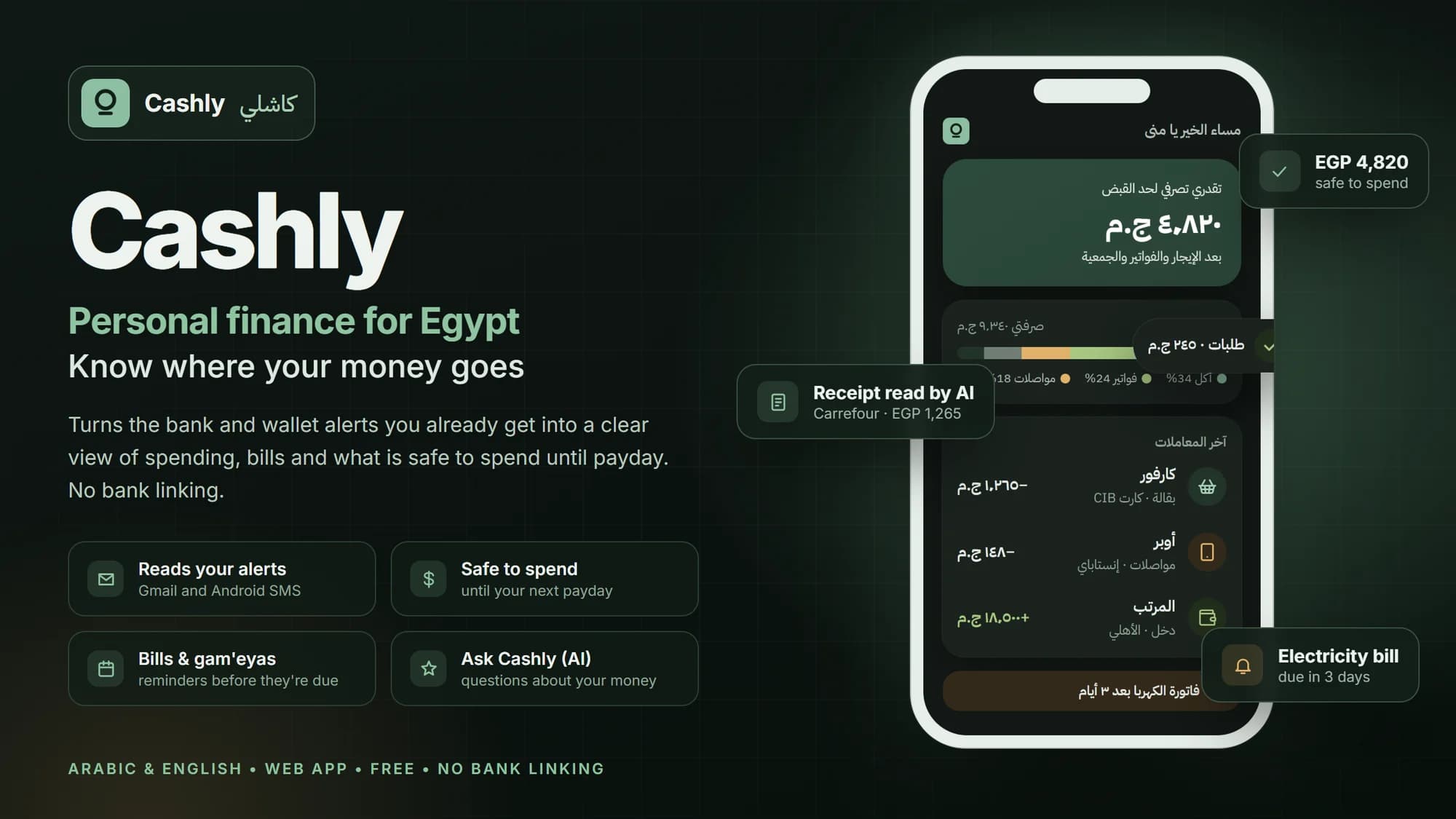
Know where your money went, what is due this week, and how much you can still spend before payday.
The problem
Salary in on the 1st, and by the 20th nobody is quite sure where it went. Your bank, Vodafone Cash and InstaPay all send alerts, but they sit in different apps. Then the electricity bill, an installment or the gam'eya arrives and catches you off guard.
How Cashly helps
Cashly reads those alerts for you and lists each payment for you to confirm. In one screen you see what you spent on what, which bills are coming, and the number that matters most: how much you can safely spend until your next salary. You never give it your bank password, and it never touches your money.
What Cashly does
Your alerts become your record
Payments from your bank and wallet alerts appear on their own. You confirm each one.
Where the money went
Food, transport, bills: see this month at a glance and compare it with last month.
Nothing due takes you by surprise
Bills, subscriptions, installments and gam'eyas, with a reminder before each one.
Safe to spend
One number that tells you how much is left for you after what is already due.
Add anything in seconds
Snap a receipt, say it, or type it. Bring old records in from a file.
Ask CashlyAI
Ask "how much did I spend on delivery this month?" and get the answer.
How it works
Open cashly.life
Sign up free and add it to your phone's home screen.
Let it read your alerts
Connect Gmail or your Android messages. No bank login.
Check once a day
Confirm new payments and see what is safe to spend.
Who Cashly is for
- Salaried employees who want to reach the end of the month without guessing.
- Families sharing one household budget, bills and gam'eyas.
- Anyone with several accounts bank, wallet and cards, who wants it all in one place.
Common questions
Does Cashly need my bank password?
No. It reads the alerts your bank and wallet already send you, and you confirm each payment.
Can Cashly move my money?
No. Cashly only reads and organises; it never moves money.
Is Cashly free?
Yes, it is completely free to use today.
Is there a phone app?
Cashly works in your phone's browser and can be added to the home screen. An Android app is coming soon on Google Play.
Is it in Arabic?
Yes. Cashly is built Arabic first, with English too.
See this month clearly
Start free at cashly.life and see where this month's money went in a few minutes.